
My Town : Cinema
My Town Games LtdEducational
4.357.00 Reviews
- Version
- 7.03.06
- Installs
- 10.00K
- Age Rating
- Everyone
Screenshots
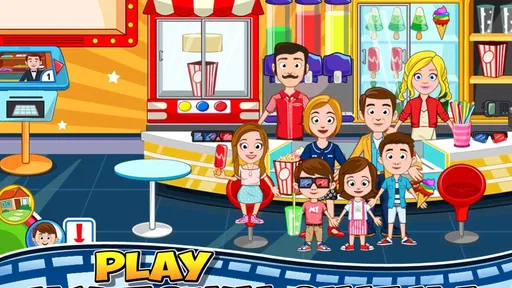
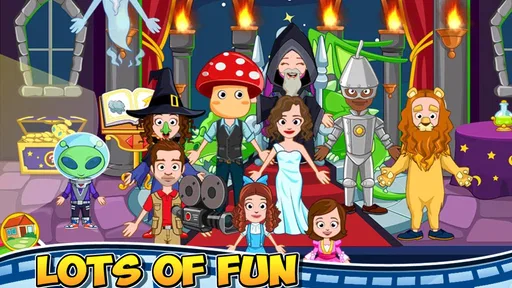
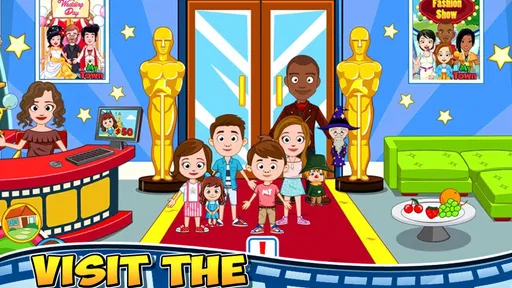
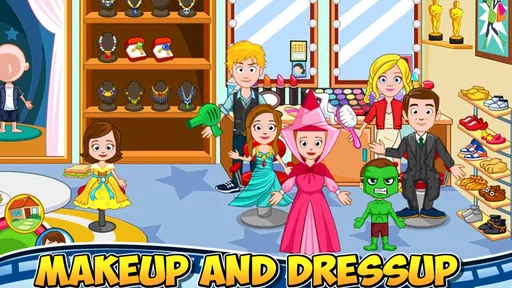
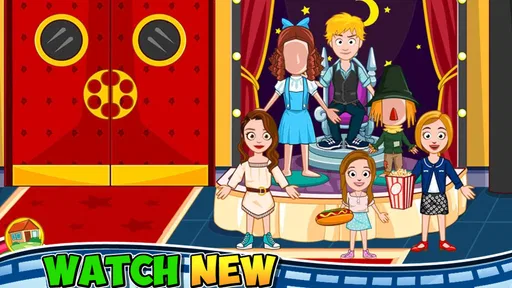
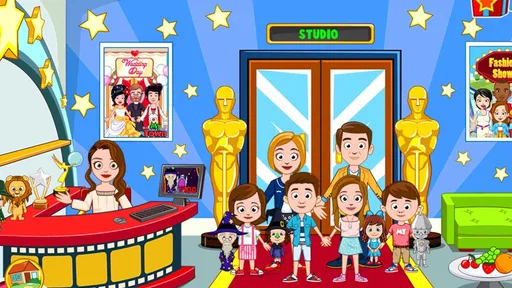
Our Review of My Town : Cinema
 Analysis by Appyee
I approached My Town : Cinema as a small digital playset rather than a conventional game with levels, scores, or a fixed route to the finish. That distinction matters immediately. Developed by My Town Games Ltd, this educational game gives children a cinema-themed space where they can explore movie-making roles, act out scenes, and use their imagination to connect different characters and situations. I found the appeal strongest when I stopped looking for a traditional objective and treated each session as an open-ended story workshop.
The central idea is simple: you can watch a collection of different movies, step into the role of an actor, or take charge as the director. The experience is aimed at Everyone, and its current version is 7.03.06, with Android support beginning at OS 8.0. It is a paid game listed at $4.49, so the purchase decision feels different from choosing a free casual title. You are paying for a contained creative toy, not for an endless competitive system.
That makes it especially interesting for children who enjoy pretend play, costumes, characters, and making up dialogue. It is less suitable for anyone expecting a detailed film editor, a long campaign, or a game that constantly rewards progress. My overall impression is positive, but only when the player’s expectations match what this cinema setting is designed to do.
How the cinema playset works in everyday use
The first thing I noticed is that the game’s structure encourages experimentation. Instead of pushing the player through instructions and objectives, it presents a setting built around the idea of a movie studio and cinema. The player can move between roles and imagine what happens before, during, and after a screening. One moment may involve watching a movie, while the next turns into a pretend production with a child directing the action.
This open format is useful for younger players because it does not demand reading long explanations before play begins. A child can understand the basic fantasy quickly: this is a place connected to films, and the characters can be used to create stories. Parents who want a quiet activity can also join in by asking questions such as, “What is this character filming?” or “What happens in the next scene?” Those prompts turn a short play session into a small storytelling exercise.
I would not describe the experience as a lesson in cinema in the formal sense. Its educational value comes through creative play. Children practice sequencing events, assigning roles, remembering what they wanted a character to do, and adapting when the story changes. That is a softer kind of learning than a quiz or puzzle game, but it can be meaningful when an adult gives the child room to explain the story.
A realistic use case is a child who has finished homework and wants something more imaginative than another fast-paced mobile game. I can see this working well during a short afternoon break: the child chooses a character, invents a movie premise, and acts out a few scenes. A parent does not need to understand complicated controls to participate. Asking the child to direct the adult’s character can even reverse the usual dynamic and give the child confidence in making decisions.
The trade-off is that the game may feel quiet or unfinished to players who need explicit goals. There is no obvious reason to keep replaying a scene unless the player enjoys changing the story. That is not a flaw in the same way it would be in an action game, but it does mean the value depends heavily on imagination. The game provides a setting; the child supplies much of the entertainment.
Why the actor and director roles matter
The actor and director ideas are more useful than they may first appear. When a child acts, the focus is on expression and character behavior. When the child directs, the focus shifts toward planning: who enters, what happens first, and how the scene should end. Moving between those roles gives the playset more depth than simply watching a movie-themed background.
I found that switching roles is a good way to prevent the session from becoming repetitive. A child can first perform a scene, then replay the same basic situation while making different choices as the director. That creates a natural reason to revisit the same setting without pretending that the game has a traditional progression system. It also encourages comparison: which version was funnier, more dramatic, or easier to understand?
For parents, this is one of the better ways to get practical value from the game. Rather than asking whether the child “won,” ask what the director wanted the audience to notice. That question encourages the child to explain intention, not just tap through the environment. The game does not need to provide formal educational exercises for this kind of conversation to happen.
There is also a useful social angle. Two children can share the same play session by dividing responsibilities, with one directing and another acting. They may need to negotiate who gets which role and agree on the story’s direction. Of course, this depends on the children’s patience and the way the device is being shared. It is not a substitute for a dedicated multiplayer game, but the cinema theme naturally supports collaborative pretend play.
Watching the movies versus creating your own story
The collection of different movies gives the game a starting point for children who do not immediately know what to invent. Watching first can help a player understand the tone of the setting and then borrow the general idea for an original scene. I see this as a helpful progression: observe, imitate, then change the idea into something personal.
That said, I would not buy this specifically for passive viewing. The strongest part is the transition from watching to pretending. If a child only wants a video player, a regular streaming or media app is more appropriate and usually offers a much broader viewing experience. Here, the movies are part of the play theme, not the entire product.
A practical tip is to give the child a small challenge after watching: recreate one moment with a different ending, or make a character behave in the opposite way. This keeps the activity focused without imposing a rigid lesson. It also makes the available movie material feel more reusable, because the child is not merely replaying it exactly as shown.
Another useful approach is to create a simple three-part story: an arrival at the cinema, a problem during production, and a solution at the end. The game’s value becomes clearer when it is used as a visual aid for this structure. Children who struggle to begin imaginative play often benefit from having a setting and roles already in front of them.
What has changed for current users
The current version is 7.03.06, while the game originally appeared on November 16, 2016. That span suggests a product that has remained available across several generations of mobile devices, but I would be careful not to treat the version number alone as proof of a major redesign. A later version tells existing users which build they are using; it does not, by itself, explain every change inside the game.
From a user’s point of view, the important current-state details are practical. The game remains positioned as an educational title for Everyone, and Android users need OS 8.0 or later. If you are installing it on an older family tablet, checking the operating system before purchasing is sensible. Compatibility is particularly important here because children’s games are often installed on shared or hand-me-down devices rather than the newest phone.
The game has an average rating of 4.3 from around 328 ratings, with roughly 57 written reviews. Those figures suggest that the experience has found an audience, although they should not replace your own judgment about the open-ended format. A strong rating can tell you that many players enjoy the concept, but it cannot guarantee that a child who prefers puzzles or competition will stay interested.
It has passed 10K installs, which places it in the smaller, more focused part of the children’s game market. I see that as consistent with its role as a niche cinema playset rather than a mass-market arcade title. The price of $4.49 also signals that this is intended as a direct purchase, not a free download designed around constant return visits.
For someone who already owns older My Town titles, the main question is whether the cinema setting adds a type of play that the existing collection does not provide. I would choose it when a child is specifically interested in movies, performance, and directing. I would skip it as a duplicate purchase if the child already has several open-ended role-play games and rarely creates stories around new locations.
Where the game fits among children’s alternatives
Compared with educational games built around spelling, counting, memory, or problem solving, this one is much less measurable. You will not get the same clear sense of a child completing exercises or improving a particular academic skill. Its educational contribution is expressive and social: storytelling, role assignment, sequencing, and imaginative decision-making.
Compared with video platforms, it offers far more participation but far less passive content. A child cannot simply expect a large catalogue of entertainment. The point is to use the cinema setting as a stage. This makes it a better choice for parents who want to move a child from watching toward creating, while a media app remains better for straightforward viewing.
Compared with action games, it is calmer and less dependent on reflexes. That can be a benefit for children who become frustrated by timers, enemies, or competitive scoring. On the other hand, players who need constant feedback may interpret the freedom as a lack of content. I would make the choice based on temperament rather than age alone.
Compared with a dedicated filmmaking app, the game is easier to approach but less technically ambitious. A filmmaking tool may offer editing, recording, sound control, or more formal project management, whereas this title focuses on the fantasy of being part of a movie. For a young child, that simplicity is a strength. For an older child who wants to produce an actual short film, it will probably feel limited.
Small strategies that make sessions more rewarding
One approach I recommend is to assign a clear job before opening the game. The child might be the director for one scene, the lead actor for another, and the person responsible for inventing the ending. This prevents aimless tapping and gives the session a beginning, middle, and end without turning it into a worksheet.
A second strategy is to use the game for spoken storytelling rather than silent play. Ask the child to narrate what the audience is supposed to understand. This can reveal whether the scene has a clear sequence and helps parents see what the child is learning from the activity. It also makes the game more engaging when the child has already explored the setting several times.
A third strategy is to set a natural stopping point. Because open-ended play has no obvious finish line, children may drift from one idea to another. Deciding to complete one movie scene or one director’s challenge gives the session closure. This is especially helpful on a shared device, where a child may otherwise keep switching between characters without developing a story.
Finally, let the child make a deliberately silly version. A cinema playset does not need to produce a serious film. Mixing unexpected roles or changing the ending can be the most creative part. The important point is that the child understands the game as a flexible stage rather than a sequence that must be copied correctly.
Limitations families should consider
The biggest limitation is the reliance on self-directed play. Some children will immediately invent plots, while others may explore briefly and then ask what they are supposed to do. If your child usually prefers clear missions, collectible systems, or visible rewards, this may not hold attention for long. I would watch a short demonstration or explain the open-ended format before buying it.
The paid model also changes the risk of the purchase. At $4.49, it is not an expensive game, but it still deserves a little thought when a child has many similar options. The best value comes from repeated pretend play, not from completing a finite campaign. If the cinema theme does not appeal, the purchase is harder to justify simply because the game is educational.
The age rating of Everyone makes the concept broadly accessible, but that does not mean every child will use it in the same way. Younger players may need an adult to explain the roles or help create the first story. Older children may enjoy directing for a while but eventually want more control over actual production. The game’s suitability is therefore tied to creative interest and developmental stage, not just the rating label.
There is also a difference between a game that supports imagination and one that teaches film technique. This title belongs firmly in the first group. It can inspire conversations about characters and scenes, but I would not use it as a replacement for a structured media lesson or a serious editing tool. That distinction prevents disappointment and helps families use it for what it does best.
Who should choose it now
I would recommend it to families looking for a calm, screen-based role-play activity with a clear movie theme. It is particularly suitable for children who enjoy acting out stories, assigning jobs to characters, or telling adults what should happen next. The director role gives the child a chance to lead, while the actor role supports expressive play.
I would also consider it for a child who has grown tired of purely passive viewing but is not ready for complicated creative software. The game offers a gentler bridge between watching and making. It does not require the child to master a timeline or learn technical terminology before having fun.
I would skip it for a child who wants competition, formal educational drills, or a long progression system. I would also choose a dedicated video-making app for an older user whose goal is to record and edit real footage. The cinema setting is charming, but charm alone is not enough if the player wants advanced tools.
Before installing, I would check that the intended Android device runs OS 8.0 or later and remember that the title is a paid game. Those two details are more important than the modest install count because they directly affect whether the purchase works for your household. The rating of 4.3 is encouraging, but the open-ended design remains the deciding factor.
My final view after spending time with the cinema theme
My Town : Cinema works best as an imaginative stage, not as a conventional educational course or a feature-heavy filmmaking program. I like the way it gives children several ways to approach the same theme: watch, perform, direct, and invent. That combination makes the setting more flexible than a simple collection of movie clips.
The game’s strongest quality is its ability to turn a familiar place into a prompt for storytelling. A child can practice making choices, organizing a sequence, and explaining a character’s actions without feeling as if they are completing an exercise. The most useful sessions are the ones where an adult asks a few thoughtful questions and lets the child take control of the story.
Its weaknesses are equally clear. There is no guarantee that open-ended play will hold every child’s attention, and the product should not be confused with a real video editor or a structured academic game. The direct price is reasonable when the cinema theme becomes a recurring source of play, but less attractive if the child only explores once.
My recommendation is therefore specific: choose it for a child who enjoys pretend filmmaking and benefits from a calm, flexible playset. If that sounds like your child, the current version offers a focused way to turn movie interest into acting and directing. If your child needs goals, scores, or technical production tools, another category will serve them better.
Verdict
Strengths of My Town : Cinema
- Creative role-play with cinema-themed characters and settings.
- Easy controls make it accessible for younger players.
- Multiple rooms encourage open-ended storytelling.
- Bright visuals and expressive animations keep scenes engaging.
- Works well for shared play and creating imaginative scenarios.
Limitations of My Town : Cinema
- Some content and features may require additional purchases.
- Limited objectives can feel repetitive for players seeking structured gameplay.
- The app may use considerable storage on older devices.
- Performance can vary on devices with limited memory.
- Frequent free-play sessions may reduce long-term challenge.
Other Releases by My Town Games Ltd
View All
My Town Home: Family Playhouse
Educational4.3

My Town : Beach Picnic
Educational4.0

My Little Princess : Wizard
Educational3.7

My Town : Daycare
Educational4.1
Similar Picks in This Category
View All
Little Panda Policeman
BabyBus4.0

Monster Trucks Game for Kids 2
Raz Games4.1

Little Panda's Chinese Recipes
BabyBus4.4

Little Panda's Restaurant
BabyBus4.4

Little Panda's Ice Cream Games
BabyBus4.3

Baby Panda Care
BabyBus3.8
Frequently Asked Questions
What is My Town: Cinema?
My Town: Cinema is a digital role-playing and pretend-play game where children can explore a movie theater and create their own stories. Players can move characters through different areas, interact with cinema-related objects, choose outfits, and act out scenes such as buying tickets, watching a film, visiting the snack counter, or working behind the scenes. The game focuses on open-ended creativity rather than a fixed storyline or traditional objectives.
Is My Town: Cinema suitable for children?
My Town: Cinema is generally designed for children who enjoy imaginative games, character customization, and interactive environments. It does not usually require advanced reading or fast reflexes, making it accessible to younger players, although parents should still check the current age rating on Google Play or the App Store. Adult supervision is recommended for reviewing advertisements, purchases, privacy settings, and the way the child uses the device.
Does My Town: Cinema require an internet connection?
The main gameplay experience can typically be enjoyed offline after the application has been installed, which is useful for travel or situations without Wi-Fi. However, an internet connection may be needed for the initial download, updates, advertisements, restoring purchases, or accessing certain online services. Availability can vary by device and version, so it is best to test the game offline after installation rather than assuming every feature will work without a connection.
Is My Town: Cinema free to download, and does it include purchases?
The availability and price of My Town: Cinema may differ between Android and iOS, as well as by region. Some versions may be free to install while offering optional purchases, advertisements, or additional content. Before downloading, parents should review the store listing carefully and enable purchase restrictions if children use the device. Checking the in-app purchase section is especially important because extra characters, locations, or customization items may not be included in the basic version.
What can players do inside My Town: Cinema?
Players can use the cinema setting as a playground for creating personal stories. Depending on the version, they may be able to explore areas such as the entrance, ticket counter, auditorium, snack bar, and staff spaces, while interacting with props and characters. The appeal comes from experimenting with objects and role-playing different situations rather than completing missions. Children who prefer structured challenges, competition, or action-based gameplay may find the experience relatively relaxed and open-ended.
Play our best games!


